Your Mac, without the noise. Pure black around what matters.Tu Mac, sin el ruido. Negro total alrededor de lo que importa.
Press ⌃⌥⌘F and every distracting window, glaring white sheet, and unused monitor vanishes into velvet black—so your active work stays at 100% vivid brightness without blinding your eyes. Let the light follow your cursor across monitors, keep two apps side-by-side in Custom, or step back so only your video stays lit. Touch the mouse, and your whole desk is back before you blink.Pulsa ⌃⌥⌘F y cada ventana que distrae, hoja blanca deslumbrante y monitor sin usar desaparece en negro terciopelo, para que tu trabajo activo se mantenga al 100% de brillo sin cansarte la vista. Haz que la luz siga tu cursor entre pantallas, mantén dos apps lado a lado en Custom o aléjate para que solo tu video siga iluminado. Mueve el mouse y todo tu escritorio vuelve antes de que parpadees.
Download Musou for Mac — FreeDescargar Musou para Mac — Gratis Enjoy it all, free · 14-day Supporter trial built in · Apple silicon (macOS 14.2+) · No account · No cardDisfrútalo todo, gratis · Prueba Supporter de 14 días incluida · Apple silicon (macOS 14.2+) · Sin cuenta · Sin tarjeta
Four modes built for how you actually work and watchCuatro modos creados para cómo trabajas y miras de verdad
Full brightness where you work. Pure black everywhere else.Brillo total donde trabajas. Negro puro en todo lo demás.
Stop dimming your screen to 30% just to survive a glaring white spreadsheet beside your canvas. Work Focus blacks out every background window, badge, and extra monitor so your active window stays vivid and crisp.Deja de bajar el brillo al 30% solo para soportar una hoja blanca al lado de tu diseño. Work Focus pone en negro cada ventana de fondo, notificación y monitor extra para que tu ventana activa se vea nítida y vibrante.

Light follows your cursor across every screen.La luz sigue tu cursor en cada pantalla.
Coding on one monitor with white API docs on the second? The window under your pointer lights up in 0.4 seconds and fades back to velvet black 1.5 seconds after your cursor leaves—no more giant lightbulbs in your peripheral vision.¿Programando en un monitor con documentación blanca en el segundo? La ventana bajo tu puntero se ilumina en 0.4 segundos y vuelve a negro terciopelo 1.5 segundos después de salir, sin focos encendidos en tu visión periférica.

Keep two apps side-by-side—and wake when your AI agent finishes.Mantén dos apps lado a lado y despierta cuando termine tu agente IA.
Mark your code editor and live preview as Keep while Mail and Slack vanish. Running a long Claude Code, Cursor, or Terminal task in the dark? Musou detects when your agent or build finishes and gently wakes it for you.Marca tu editor y tu vista previa como Keep mientras Mail y Slack desaparecen. ¿Ejecutando una tarea larga de Claude Code, Cursor o Terminal a oscuras? Musou detecta cuando termina y la ilumina suavemente.

Your browser outshines the film. Slice it away.Tu navegador brilla más que la película. Córtalo.
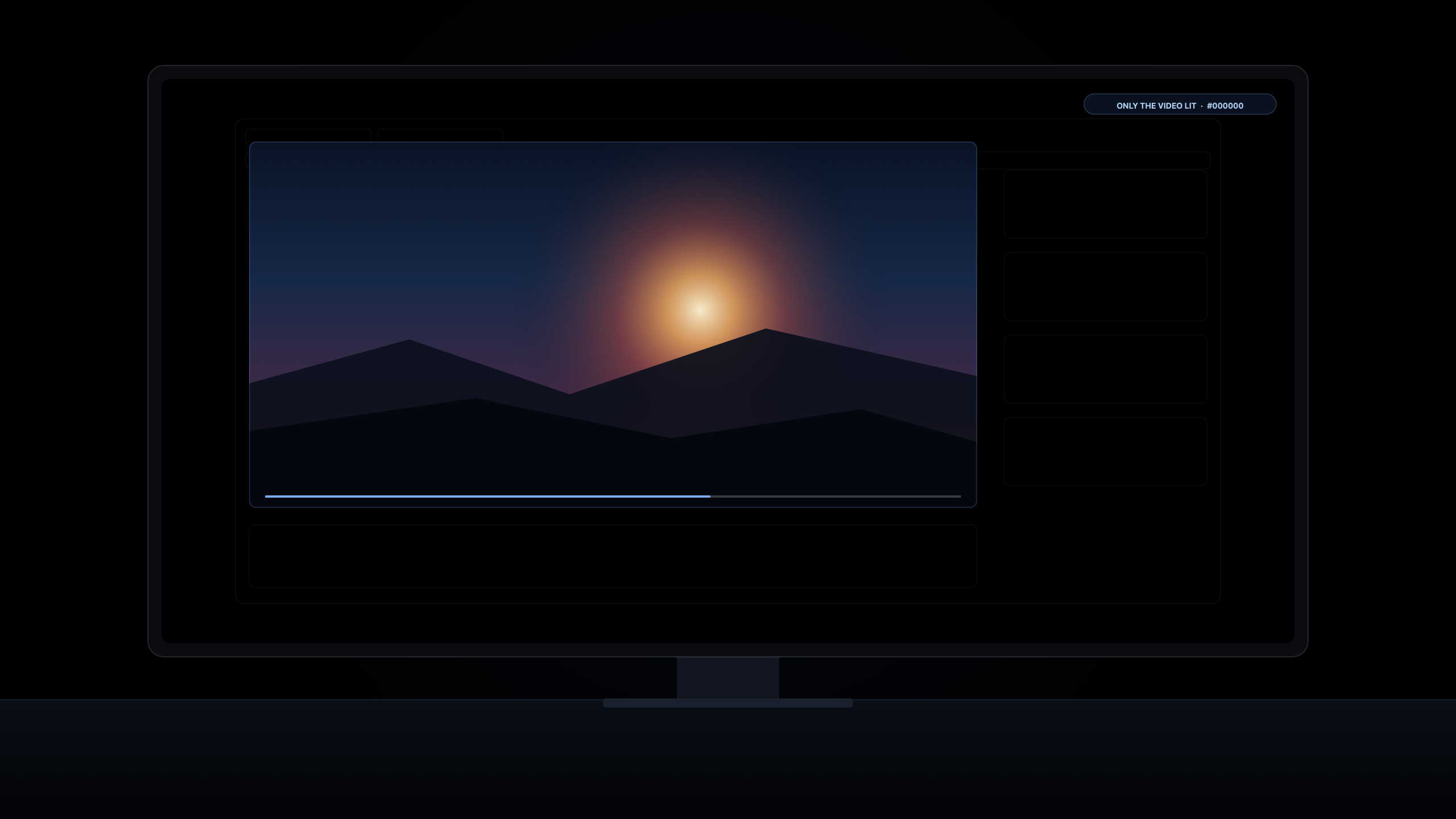
When you step back to watch at night, Musou slices off browser tabs, sidebars, comments, and grey letterbox bars, then glides just the playing video to the middle of your screen. One touch of the mouse restores your desk.Cuando te sientas a mirar de noche, Musou recorta pestañas, comentarios y franjas grises, y desliza únicamente el video al centro de tu pantalla. Un toque del mouse devuelve todo tu escritorio.
Before and after

Dark mode is grey. This is black.El modo oscuro es gris. Esto es negro.
The light on your wall is the page, not the filmLa luz en tu pared es la página, no la peli
Dark Mode doesn't turn the light off—it just paints the walls grey while comments, sidebars, and grey bars keep shining in your face. When you step back to watch, Musou turns the page around your video, the menu bar, the grey bars, and your other screens velvet black—leaving only the movie (or your live stream and chat) lit in the dark.El modo oscuro no apaga la luz: solo pinta las paredes de gris mientras los comentarios, las barras laterales y las franjas grises te siguen dando en la cara. Cuando te sientas a mirar, Musou vuelve negro terciopelo la página alrededor del video, la barra de menú, las franjas grises y tus otras pantallas, dejando solo la película (o el stream y su chat) encendida en la oscuridad.
“Can you turn that down?” “It's already on the lowest.”«¿Puedes bajarle un poco?» «Ya está al mínimo.»
When your brightness bar is already at the bottom and the room is still lit up, brightness isn't the problem—how much of the screen is glowing is. And on most external monitors, your MacBook's brightness keys don't even work. With Follow, only the window under your mouse and the one you're typing in stay lit; everything else fades to black in 1.5 seconds. Seen from their pillow, it's just one quiet page.Cuando el brillo ya está al mínimo y el cuarto sigue iluminado, el problema no es el brillo: es cuánta pantalla está encendida. Y en casi todos los monitores externos, las teclas de brillo del MacBook ni siquiera responden. Con Follow, solo la ventana bajo el mouse y donde escribes siguen con luz; todo lo demás pasa a negro en 1.5 segundos. Visto desde su almohada, es solo una página tranquila.
Lid open. Laptop black. Until your mouse goes back.Tapa abierta. Laptop en negro. Hasta que vuelva el mouse.
Tired of half-closing your MacBook lid—or draping a towel over it—just to stop it glaring beside your monitor or TV, only for your main screen to go black too? Leave the lid open. While you work or watch on the big screen, your laptop stays velvet black, and lights up again the instant your mouse slides back to it.¿Cansado de entreabrir la tapa del MacBook —o de tirarle una toalla encima— para que no deslumbre al lado del monitor o la tele, solo para que también se apague tu pantalla principal? Deja la tapa abierta. Mientras trabajas o miras en la pantalla grande, tu laptop se queda en negro y vuelve a encenderse en cuanto el mouse regresa.
Back from lunch. Every window right where you left it.Vuelves de comer. Cada ventana sigue donde la dejaste.
When macOS puts an external monitor to sleep, it often takes 8 seconds to wake up, cuts off your music on the TV, or dumps all 20 of your windows onto your laptop screen. Because Musou never puts your monitor to sleep—it simply draws a black curtain over it—nothing slept, and nothing moved. Touch the mouse and your whole desk is back at once.Cuando macOS duerme un monitor externo, suele tardar 8 segundos en despertar, corta la música en la tele o amontona tus 20 ventanas en la pantalla del portátil. Como Musou nunca duerme ni desconecta tu monitor —solo tiende un telón negro encima—, nada se durmió y nada se movió. Mueve el mouse y todo vuelve al instante.
Your keys only go to a window with lightTus letras solo van a una ventana con luz
Ever typed a private message into a work document—or pressed ⌘W and closed the wrong window—because ten open windows all look the same? In Follow and Work Focus, the window receiving your keystrokes is always lit while background clutter disappears into black (or a soft 75% / 50% dim).¿Alguna vez escribiste un mensaje personal dentro de un documento de trabajo —o cerraste la ventana equivocada con ⌘W— porque diez ventanas abiertas se ven iguales? En Follow y Work Focus, la ventana donde escribes siempre tiene luz mientras el desorden del fondo desaparece en negro (o en un suave atenuado al 75% / 50%).
No more 3:12 a.m. ghost wakes (Wake on News)Sin despertares fantasma a las 3:12 a.m. (Avisos inteligentes)
Everyone was taught to turn the light off when leaving a room—yet a finished backup or download at 3:12 a.m. will wake a sleeping Mac and light up your whole bedroom until morning. Musou keeps your screens dark even if your Mac wakes up at night, or—when you turn on Smart Alerts for an overnight AI agent (Claude Code, Codex, Cursor)—lights up only the finished window when your job is done.A todos nos enseñaron a apagar la luz al salir de un cuarto; sin embargo, una descarga o copia de seguridad a las 3:12 de la mañana despierta tu Mac y alumbra todo el dormitorio hasta el amanecer. Musou mantiene tus pantallas a oscuras aunque tu Mac despierte de noche o, si activas los Avisos inteligentes para un agente IA (Claude Code, Codex, Cursor), ilumina únicamente esa ventana cuando termina su tarea.
Why every screen in your house feels different tonightPor qué cada pantalla de tu casa se siente distinta esta noche
1. Ordinary Laptop, iMac & Office Screens (LED & IPS)1. Pantallas normales de Laptop, iMac y Oficina (LED e IPS)
On a MacBook Air, iMac, Studio Display, or everyday monitor, turning the brightness down ruins the movie or page you are looking at. The secret isn't dimming the whole screen—it's turning off the white glare around it. By covering the other 80% of the screen in black, the harsh office glow disappears from your walls and glasses while your video stays crisp and bright.En un MacBook Air, iMac, Studio Display o monitor de diario, bajar el brillo arruina la película o la página que sí estás mirando. El secreto no es apagar toda la pantalla, sino quitar el resplandor blanco alrededor. Al cubrir de negro el otro 80% de la pantalla, el reflejo blanco desaparece de tus paredes y lentes mientras tu video sigue nítido y brillante.
2. MacBook Pro Liquid Retina XDR & Mini-LED2. MacBook Pro Liquid Retina XDR y Mini-LED
Your 14″ or 16″ MacBook Pro has thousands of tiny lights behind the glass that can turn off in the dark—but Apple's grey Dark Mode forces them to stay on! When Musou covers unused windows in true black, the tiny lights behind those parts of your screen actually switch off, making the black around your movie blend seamlessly into a dark room.Tu MacBook Pro de 14″ o 16″ tiene miles de pequeñas luces detrás del cristal capaces de apagarse en la oscuridad, pero el gris del modo oscuro las obliga a seguir encendidas. Cuando Musou cubre lo que no usas con negro total, las luces detrás de esas zonas se apagan de verdad y los bordes de tu pantalla se funden con el cuarto oscuro.
3. OLED, AMOLED & MicroLED Monitors3. Monitores OLED, AMOLED y MicroLED
You didn't buy an expensive OLED monitor to become its babysitter—hiding your menu bar, deleting your wallpaper, and staring at a soulless empty desktop. Keep your wallpaper, your Dock, and your menu bar exactly how you love them. Wherever Musou lays its black curtain, those pixels rest completely off—giving you the floating-in-mid-air black you paid for, automatically.No compraste un monitor OLED caro para volverte su niñera: ocultando la barra de menú, borrando tu fondo de pantalla y mirando un vacío sin alma. Conserva tu fondo, tu Dock y tu barra de menú tal como te gustan. Donde Musou tiende su telón negro, esos píxeles descansan apagados por completo, dándote automáticamente ese negro flotante en el aire por el que pagaste.
4. Built to Be Seen Working from Second Zero4. Hecha para que la veas funcionar desde el primer segundo
Most Mac menu-bar utilities sit in the top corner for years and you never know if they actually did anything. Musou shows its work the first time you step away or click the Eclipse Orb: the room goes quiet, your movie stays lit, and a single touch brings everything back.La mayoría de las utilidades de la barra de menú llevan años ahí arriba sin que sepas si realmente hacen algo. Musou demuestra su trabajo la primera vez que te levantas o haces clic en el Orbe de Eclipse: el cuarto se calma, tu película sigue encendida y un solo toque lo devuelve todo.
Enjoy it all, free. Support us once if you love it.Disfrútalo todo, gratis. Apóyanos una sola vez si te encanta.
Every core mode—Away, Follow, Work Focus, Custom, Only the video, and 3 smooth transitions—is free forever, with a 14-day full Supporter trial built in (plus 16 bonus days when you share Musou with a friend). No account, no credit card, and no subscription ever. If Musou earns a permanent spot on your Mac, unlock every Supporter power feature and every future version for life with a single payment.Todos los modos principales —Ausente, Seguir el puntero, Work Focus, Personalizado, Solo el video y 3 transiciones suaves— son gratis para siempre, con una prueba Supporter completa de 14 días incluida (más 16 días extra al compartir Musou con un amigo). Sin cuenta, sin tarjeta y sin suscripción jamás. Si Musou se gana un lugar fijo en tu Mac, desbloquea todas las funciones Supporter y todas las versiones futuras de por vida con un único pago.
FreeGratis
All 4 modes and Only the video for everyday 1–2 screen setups.Los 4 modos y Solo el video para escritorios de 1 o 2 pantallas.
- Away, Follow the Mouse, Work Focus & Custom modesModos Ausente, Seguir el puntero, Work Focus y Personalizado
- Only the video (turns the page & grey bars around your film black)Solo el video (pone en negro la página y las barras grises alrededor de tu peli)
- Up to 2 lit windows & up to 2 screensHasta 2 ventanas iluminadas y hasta 2 pantallas
- 3 transitions: Instant, Fade & Dissolve3 transiciones: Instantánea, Fundido y Disolver
- Includes 14 days of full Supporter access (+16 bonus days when you share)Incluye 14 días de acceso Supporter completo (+16 días extra al compartir)
Founding SupporterFounding Supporter
Every Supporter power feature and every future version, yours for life.Todas las funciones avanzadas Supporter y todas las versiones futuras, tuyas de por vida.
- Unlimited lit windows, Custom Keep/Vanish choices, and 3+ screensVentanas iluminadas ilimitadas, zonas Custom Keep/Vanish ilimitadas y 3 o más pantallas
- Smart Alerts (messages & AI agents), Center the video, all floating videos, Stream + Chat layout & Rest browser barsAvisos inteligentes (mensajes y agentes IA), centrar video, videos flotantes, diseño de stream + chat y descanso de barras
- 6 cinema transitions (Snap, Melt, TV Off, Burn, Eclipse, Black Hole) + Soft Dim (75%/50%) & Work Focus timer6 transiciones de cine (Snap, Melt, TV Off, Burn, Eclipse, Black Hole) + Atenuado suave (75%/50%) y temporizador Work Focus
- Every future version and update included for lifeTodas las versiones y actualizaciones futuras incluidas de por vida
- Use on up to 3 of your Macs ($5 per Mac for life) + your permanent Founding Supporter numberÚsalo hasta en 3 de tus Mac ($5 por Mac de por vida) + tu número permanente de Founding Supporter
- 2 guest passes: 30 days of full Supporter access for friends2 pases de invitado: 30 días de acceso Supporter total para amigos
Worth $32–$40 at launch prices (all future versions included)Valorado en $32–$40 a precios de lanzamiento (todas las versiones futuras incluidas)
Get the Founding Supporter licenceObtener la licencia Founding SupporterPatronMecenas (Patron)
A lifetime licence for you (5 Macs), plus 2 full lifetime licences to gift.Una licencia de por vida para ti (5 Mac), más 2 licencias completas para regalar.
- Everything in the Founding Supporter licence, with every future version & add-on included for lifeTodo lo incluido en la licencia Founding Supporter, con cada versión y complemento futuro incluidos de por vida
- Use on up to 5 of your MacsÚsalo hasta en 5 de tus Mac
- 2 full licences to give: Version 1 of the finished app for two friends (3 Macs each — 11 Macs total)2 licencias completas para regalar: Versión 1 de la app terminada para dos amigos (3 Mac cada una — 11 Mac en total)
- 5 guest passes: 30 days of full Supporter access for five friends5 pases de invitado: 30 días de acceso Supporter total para cinco amigos
- Your name in the app's credits and on the official Patrons wall (opt-in) + the Patron markTu nombre en los créditos de la app y en el muro oficial de Mecenas (opcional) + la insignia Patron
Worth $89.97 at regular prices ($29.99 × 3 lifetime licences)Valorado en $89.97 a precios regulares (3 licencias de por vida)
Become a PatronConvertirse en Mecenas30-day no-questions refund: if Musou isn't for you, reply to your receipt within 30 days for a full refund.Reembolso de 30 días sin preguntas: si Musou no es para ti, responde a tu recibo en un plazo de 30 días y te devolvemos el 100%.
Nothing leaves your MacNada sale de tu Mac
Musou collects nothing. No account, no analytics, no tracking. Screen Recording and Accessibility are used strictly in your Mac's memory to find the edges of your windows and videos—nothing is ever saved or sent anywhere. Musou goes online only to check a Supporter or Patron licence key when you enter one: it sends the key, a random installation ID, your Mac model name, and the stored activation ID to Polar (polar.sh) to verify activation and expiry. Every free feature works 100% offline.Musou no recopila nada. Sin cuenta, sin analíticas, sin rastreo. Grabación de pantalla y Accesibilidad se usan exclusivamente en la memoria de tu Mac para detectar los bordes de tus ventanas y videos; nunca se guarda ni se envía nada. Musou solo se conecta para comprobar una clave de licencia Supporter o Patron cuando ingresas una: envía la clave, un ID aleatorio de instalación, el modelo de tu Mac y el ID de activación a Polar (polar.sh) para verificar su validez. Todo lo gratuito funciona 100% sin internet.
QuestionsPreguntas
Why is it called Musou, and does it work on ordinary screens (not just OLED)?¿Por qué se llama Musou y funciona en pantallas normales (no solo OLED)?
It's named after Musou Black, the Japanese artist pigment that absorbs 99.4% of light. Most apps still treat your Mac like a 2012 display—leaving unused windows glowing white or washed-out grey. Musou covers everything you aren't watching in velvet black: on an ordinary MacBook Air, iMac, Studio Display, or office monitor, it takes away the white page glare lighting up your walls and glasses; on a MacBook Pro, the tiny lights behind those black areas actually switch off; and on an OLED monitor, black pixels turn completely off so your window looks like it's floating in mid-air.Toma su nombre de Musou Black, el pigmento artístico japonés que absorbe el 99.4% de la luz. La mayoría de las apps siguen tratando tu Mac como una pantalla de 2012, dejando las ventanas que no usas brillando en blanco o gris lavado. Musou cubre todo lo que no miras con negro terciopelo: en un MacBook Air, iMac, Studio Display o monitor normal, elimina el reflejo blanco de la página sobre tus paredes y lentes; en un MacBook Pro, las pequeñas luces detrás de esas zonas negras se apagan de verdad; y en un monitor OLED, los píxeles negros se apagan por completo para que tu ventana parezca flotar en el aire.
What is GFN (Glowing For Nothing)?¿Qué es BPN (Brillando Para Nada / GFN)?
You were taught as a kid to turn the light off when you leave a room. GFN (Glowing For Nothing) is what happens when you watch one small video—or step away to make coffee—and the rest of your web page and your other monitors keep shining in your face or at an empty chair. Musou fixes that automatically: what you're using gets light; what's waiting goes dark.De niños nos enseñaron a apagar la luz al salir de un cuarto. BPN (Brillando Para Nada, o GFN en inglés) es lo que ocurre cuando miras un solo video —o vas por un café— y el resto de la página web y tus otros monitores siguen alumbrándote la cara o iluminando una silla vacía. Musou lo resuelve solo: lo que usas recibe luz; lo que espera queda en negro.
Did my screen break? Is it locked or asleep?¿Se rompió mi pantalla? ¿Está bloqueada o dormida?
Yes, it went black—on purpose! Nothing is turned off, asleep, or locked. Because your monitor never goes to sleep, your music never cuts out and your windows never scatter onto your laptop. Just nudge the mouse or tap any key (or press Esc three times) and everything is back right where you left it.Sí, se quedó en negro… ¡a propósito! Nada está apagado, dormido ni bloqueado. Como tu monitor nunca entra en reposo, tu música no se corta y tus ventanas nunca se amontonan en el portátil. Solo mueve el mouse o toca cualquier tecla (o pulsa Esc tres veces) y todo vuelve exactamente donde lo dejaste.
Why only Apple silicon?¿Por qué solo Apple silicon?
Musou is written natively for M1, M2, M3, M4 and M5 Macs on macOS 14.2 or later so it uses practically zero energy while running silently in the background. Intel Macs aren't supported.Musou está escrita de forma nativa para procesadores M1, M2, M3, M4 y M5 en macOS 14.2 o posterior para no consumir prácticamente nada mientras trabaja en silencio. Los Mac con Intel no son compatibles.